01
Every client, and every person behind them
A client record holds the company and the people behind it: directors, shareholders and beneficial owners. Requirements are raised against each of them, not only against the entity.
Greenlight tracks the due diligence documents your firm is required to hold for every client, and shows you what has expired, what is due, and what was never collected.
Request accessFeatures
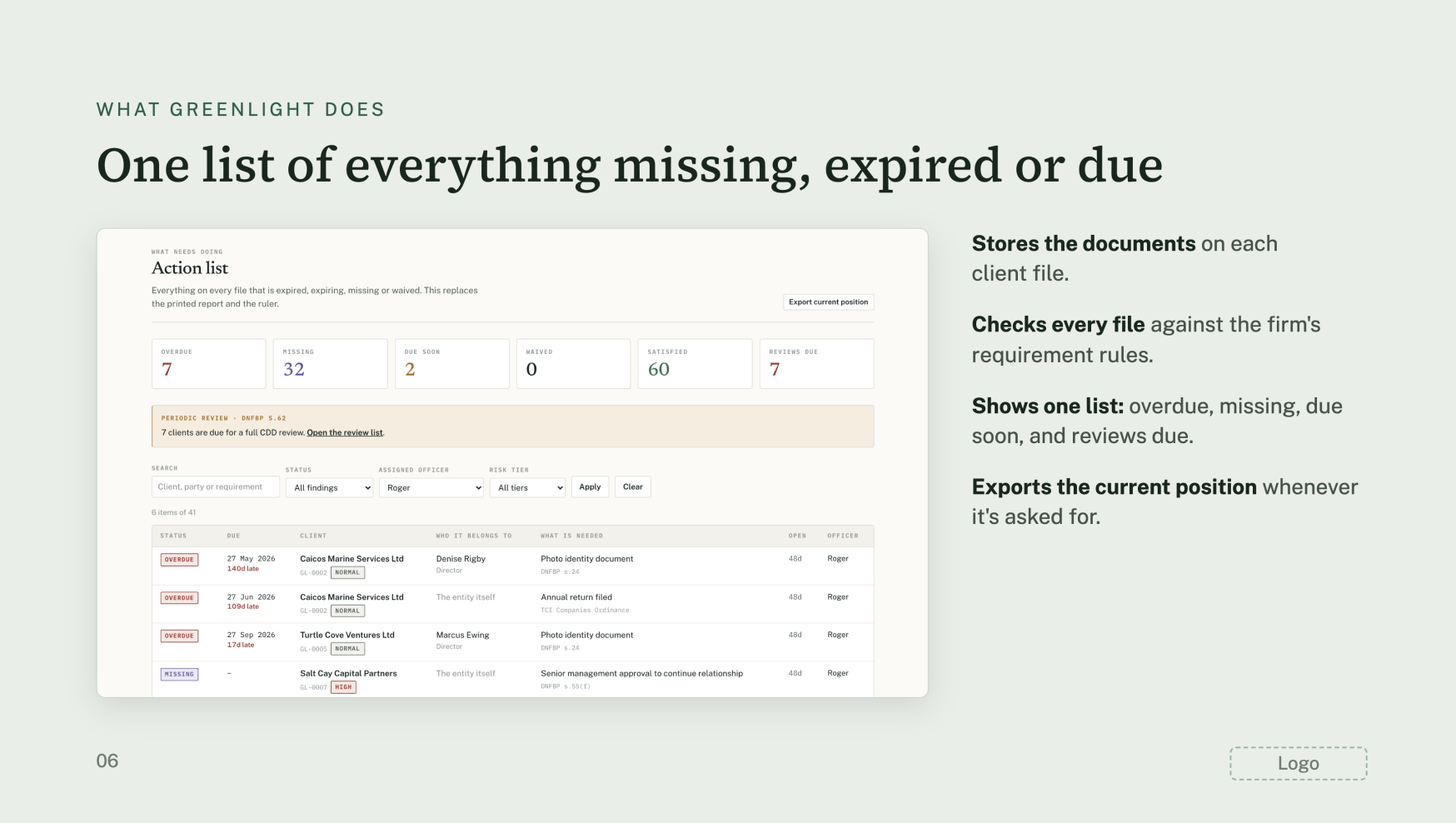
Seven things Greenlight does so your officers stop tracking client files in spreadsheets.
A client record holds the company and the people behind it: directors, shareholders and beneficial owners. Requirements are raised against each of them, not only against the entity.
Every requirement carries a due date. The client list shows what is current, what is due soon and what is already overdue.
Greenlight applies a rule set to every client to produce the documents and checks that client requires. The default rule set is drafted for the Turks and Caicos Islands and is labelled as such in the product. Rules are maintained by Greenlight, so your officers are not asked to carry them in their heads.
Your officer assesses four factors: customer, product or service, delivery channel and country. The highest factor sets the client's rating, so a single high factor makes the client high risk. A relationship that was not face to face is automatically high risk. A politically exposed person locks the file at high. The rating then determines which requirements apply and how often the file is reviewed, at 12, 24 or 36 months.
One email a week with the counts that matter and a link into the system. Client names never leave Greenlight by email.
Every action is recorded. The record is append-only, enforced by the database itself rather than by application code, so entries cannot be altered or deleted. That restriction applies to Greenlight too.
Each firm's data is separated from every other firm's by database row-level security, not by application code. Backups are encrypted before they leave our infrastructure and are held off site, and a full restore was tested on 15 October 2026. Two-factor authentication is available.
What Greenlight does
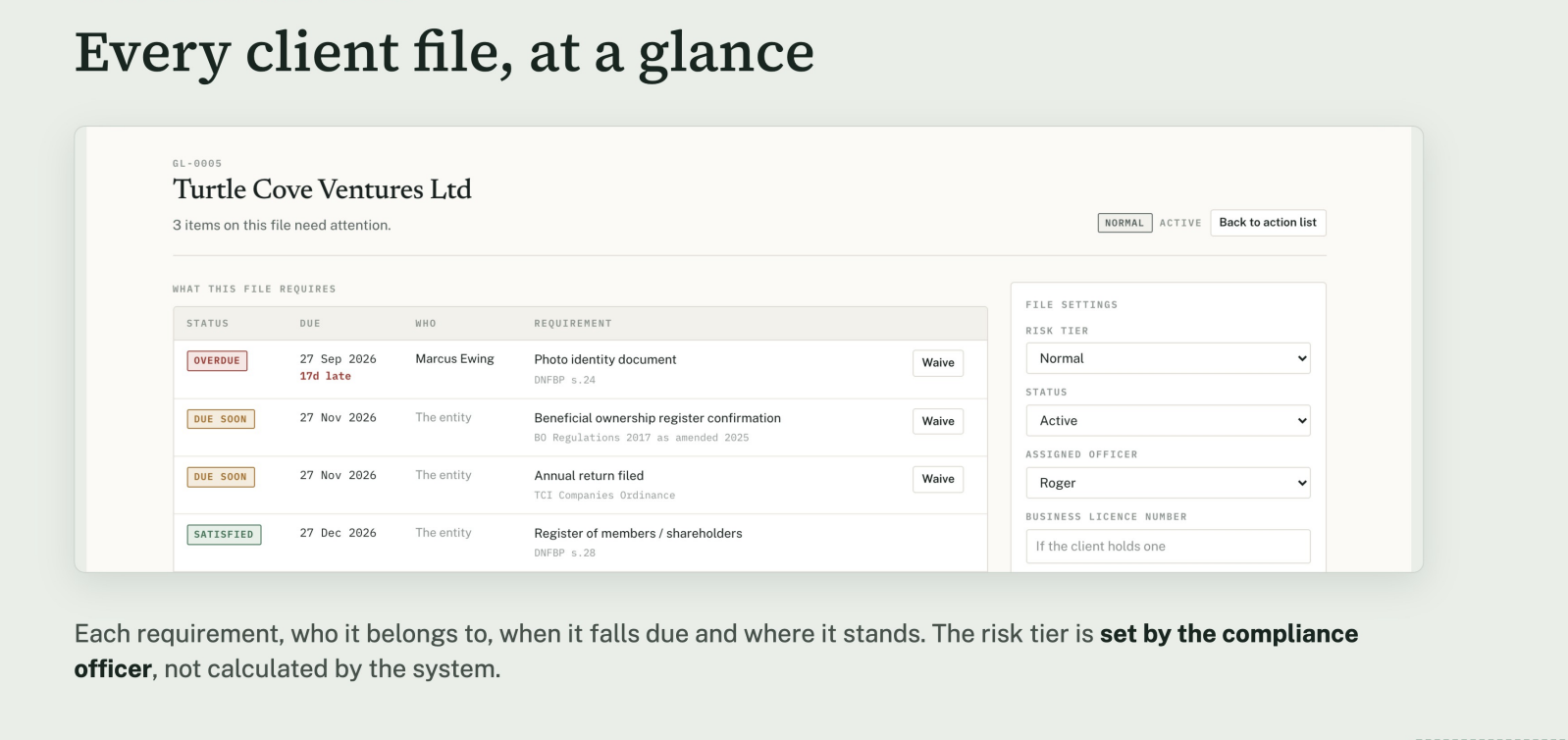
Each requirement, who it belongs to, when it falls due and where it stands. The risk tier is set by the compliance officer, not calculated by the system.
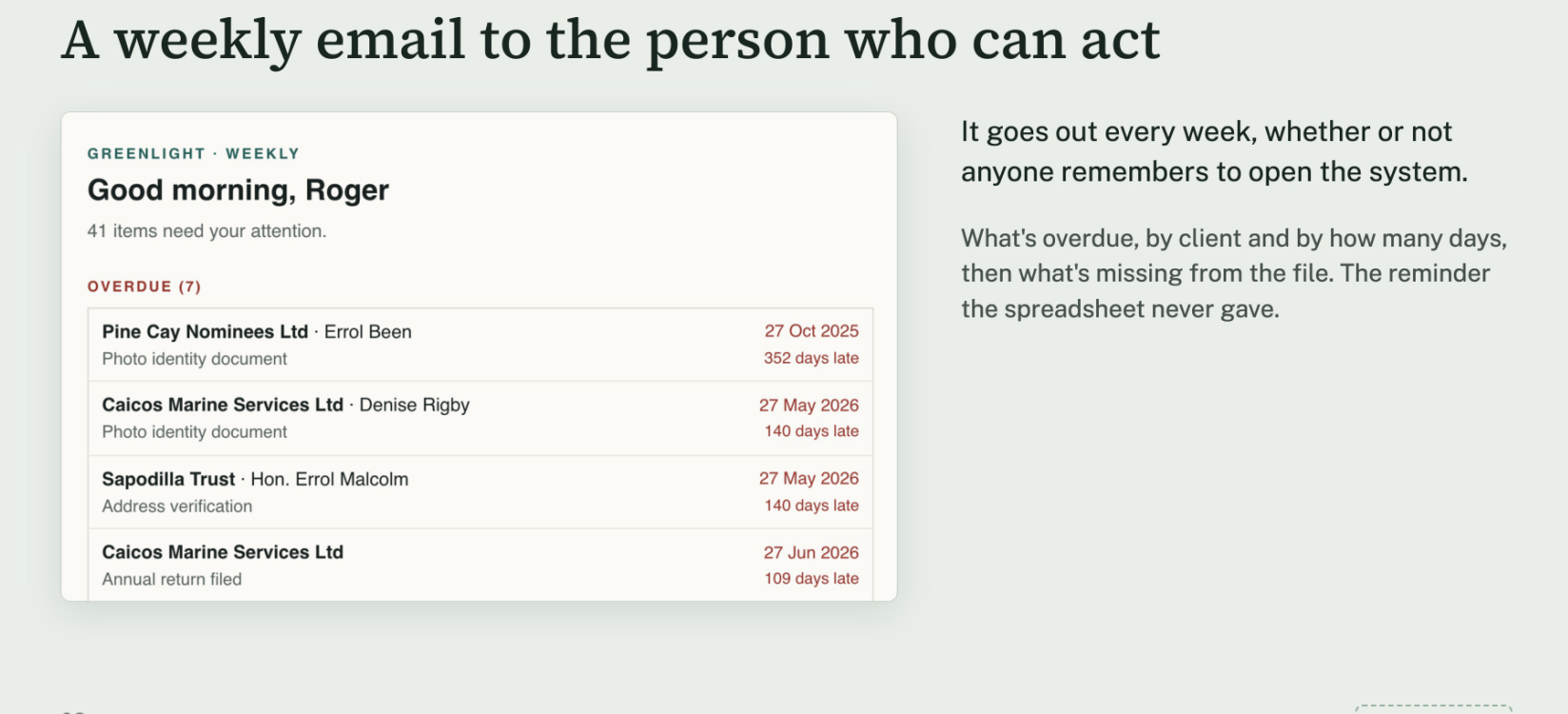
It goes out every week, whether or not anyone remembers to open the system.
What's overdue, by client and by how many days, then what's missing from the file. The reminder the spreadsheet never gave.
Greenlight is a due diligence record tracker.
It tells you what your files are missing. The judgement stays with your compliance officer.
How it runs
Counts update the moment a document is added or changes. Open it and you see where the firm stands today.
What's overdue and what's missing lands in the officer's inbox, without anyone having to log in.
Each client comes up for full review on the cycle set by their risk tier. Signing off records the file as it stood.
Scope
Stays with the firm
A compliance officer appointed
Stays with the firm
Policies and procedures
Stays with the firm
Risk assessment and judgment
Where Greenlight helps
Client due diligence records, kept current
Stays with the firm
Staff training
Stays with the firm
Reporting to local regulators
Next steps
Monthly, annual, or three years.
Import the existing spreadsheet, so nothing is retyped.
Each client file gets an officer who owns it.
From the first week, the officer gets the list in their inbox.
To begin: choose a term and name who in the firm will own the account. Your existing spreadsheet is the starting point.
Request access
Melissa Laporte
About
Greenlight was built in the Turks and Caicos Islands by a compliance professional and a software team.
Melissa Laporte is a Certified Compliance Professional holding a Master of Laws degree, with over 15 years of experience navigating the banking and financial sectors. She brings a wealth of international experience across both Swiss banking and the Turks and Caicos financial markets.
The work of keeping client files current, knowing which passport expired last month and which file was never finished, was being done in spreadsheets and reminders. Greenlight is that work turned into software.
Request access
Tell us a little about your firm. We will be in touch at the email address you give, usually within one business day.